Shopify Retina Image Optimization: Balancing High-DPI Sharpness with Sub-Second Page Speeds
Master 2x Retina image sizing, responsive srcset configurations, and WebP compression on Shopify without sacrificing pinch-to-zoom sharpness.
TechniquesPublished Oct 28, 20268 min readBy the Reframe Visuals editors
Key takeaways
- Upload master Shopify images at 2,048 x 2,560 pixels (4:5) or 2,048 x 2,048 pixels (1:1) to support tack-sharp 2x Retina zoom.
- WebP format reduces file payloads by 25% to 35% compared to JPEG while eliminating compression mosquito noise around product edges.
- Never lazy-load the primary product image above the fold, use loading='eager' and fetchpriority='high' to optimize mobile LCP.
- Always convert master uploads to sRGB IEC61966-2.1 with stripped EXIF metadata to ensure fast, consistent mobile rendering.
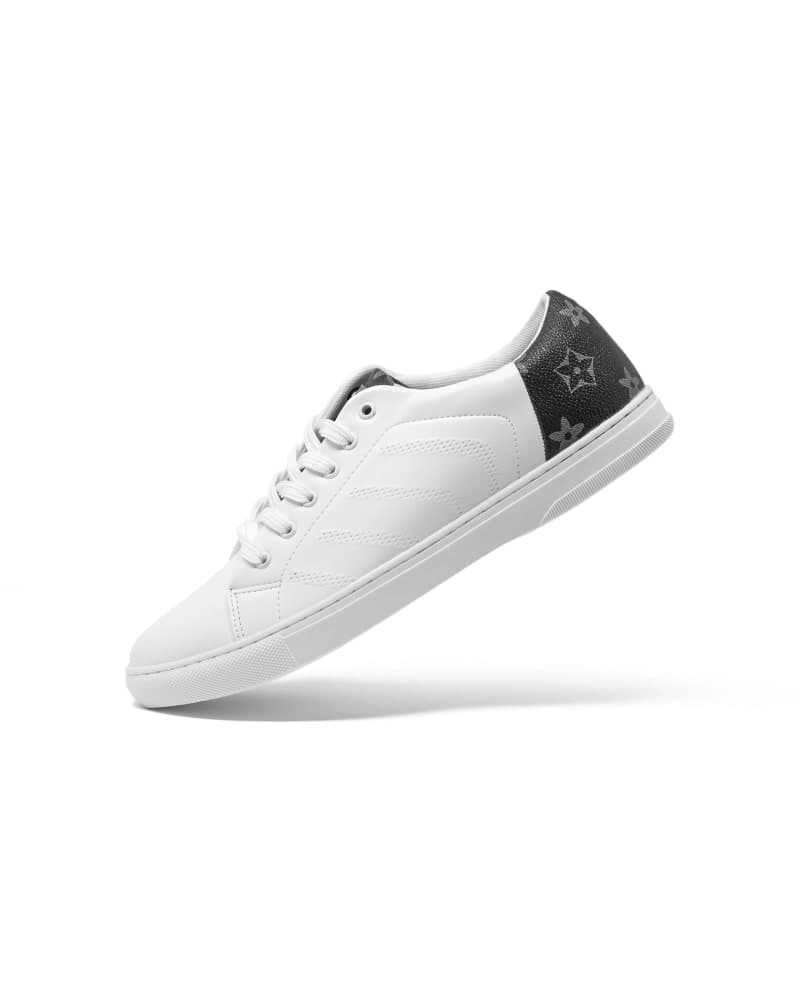
In eCommerce, visual fidelity and page load speed exist in constant tension. On one hand, high-resolution product photography is your strongest conversion tool: shoppers want to pinch-to-zoom into fabric weaves, leather grain, and watch dials with razor-sharp clarity. On the other hand, heavy, unoptimized image payloads degrade Google Core Web Vitals, drag down mobile Largest Contentful Paint (LCP), and increase bounce rates.
Modern shoppers predominantly browse on high-DPI (Retina) mobile screens that demand 2x or 3x pixel density. Serving low-res images creates blurry, unprofessional product pages. Serving massive uncompressed master files causes noticeable page lag.
Here is the technical blueprint for balancing Retina zoom sharpness with sub-second page load times on Shopify storefronts.
The Mathematical Balance: Understanding 2x Retina Sizing
A standard desktop product image container might occupy 600 x 750 pixels on a web page. However, Apple Retina displays and modern OLED Android devices pack twice as many physical pixels into the same CSS dimension:
| Display Type | CSS Display Size | Required Physical Image Resolution | Target File Size (WebP) |
|---|---|---|---|
| Standard 1x Display | 600 x 750 px | 600 x 750 px (1x) | ~45 KB |
| Retina 2x Mobile Display | 600 x 750 px | 1,200 x 1,500 px (2x) | ~110 KB |
| Retina 2x Desktop Zoom | 1,024 x 1,280 px | 2,048 x 2,560 px (Master) | ~220 KB |
To support both tack-sharp 2x mobile rendering and smooth 200% desktop hover-to-zoom, the optimal master upload dimension for Shopify is 2,048 x 2,560 pixels (4:5 ratio) or 2,048 x 2,048 pixels (1:1 square).
Need crisp, high-resolution product cutouts optimized for fast Shopify page load?
Reframe Visuals hand-draws vector clipping paths and crafts natural drop and contact shadows to keep 2x Retina zoom tack-sharp. Get 3 free sample image optimizations on your catalog assets.
WebP vs. AVIF vs. JPEG: The 2026 Format Hierarchy
Shopify automatically generates WebP derivatives from uploaded master files. However, the compression quality of the source file fundamentally impacts the final deliverable:
[MASTER FILE: 2048x2560px]
  ├── JPEG Quality 100: ~3.4 MB (Severe Page Lag / Fails Core Web Vitals)
  ├── JPEG Quality 85:  ~650 KB (Acceptable Desktop, Heavy for Mobile)
  └── WebP Quality 82:  ~195 KB (Optimal: Razor-Sharp at 2x, 65% Lighter)
Clipping Path on your own images
Hand-drawn vector paths.
Why WebP Outperforms Standard JPEG on Shopify:
- Superior Chroma Subsampling: WebP preserves crisp edge contrast on text labels and fine product contours where JPEG introduces mosquito noise.
- Predictable Lossless Alpha Transparency: WebP supports 8-bit alpha channel transparency, enabling floating product drops on colored theme sections without heavy PNG file sizes.
4 Optimization Rules for High-Converting Shopify Stores
1. Configure Responsive srcset Image Sizing
Never hard-code a single image URL in your Liquid theme. Use Shopify's native image_tag with a dynamic widths array:
{{ product.featured_image | image_url: width: 2048 | image_tag:
  widths: '375, 550, 750, 1100, 1500, 2048',
  sizes: '(min-width: 1200px) 600px, (min-width: 750px) 50vw, 100vw',
  loading: 'eager',
  fetchpriority: 'high',
  alt: product.title | escape
}}
2. Prioritize LCP on the Hero Image (No Lazy-Loading Above the Fold)
A common mistake in Shopify theme development is globally applying loading="lazy" to all images. The main featured product image sits above the fold: lazy-loading it artificially delays Largest Contentful Paint by 400ms to 800ms. Set loading="eager" and fetchpriority="high" on the first product frame, and reserve lazy-loading strictly for secondary carousel thumbnails.
3. Strip Heavy Camera Metadata During Export
Raw camera captures contain thousands of bytes of embedded EXIF data: GPS coordinates, camera serial numbers, thumbnail previews, and lens calibration tags. Batch stripping non-essential metadata during export reduces image payload by 5% to 12% across your catalog without touching a single pixel of visual quality.
4. Color Space Normalization
Always convert master uploads to sRGB IEC61966-2.1. Uploading uncalibrated Adobe RGB or ProPhoto files forces mobile browsers to perform real-time gamut mapping, causing visual stutters on older devices and unexpected color desaturation.
About this guide
Written by the Reframe Visuals editors. Last reviewed October 28, 2026. See how we check our work.
Questions answered
3 questions
The ideal master upload resolution is 2,048 x 2,560 pixels for 4:5 vertical fashion/lifestyle imagery, or 2,048 x 2,048 pixels for 1:1 square catalog shots. This allows Shopify's CDN to serve crisp 2x Retina thumbnails while powering full-resolution zoom lightboxes.
Yes, Shopify's cloud CDN automatically transcodes uploaded images into modern formats like WebP. However, uploading bloated, unoptimized 15MB files still strains upload queues and often leads to aggressive compression artifacts. Uploading clean, web-optimized master files at 1–2MB yields far superior visual clarity.
Blurry mobile zoom occurs when the uploaded master image is under 1,600 pixels wide, or when the Shopify theme limits the lightbox view to a downscaled thumbnail rather than pulling the master high-resolution asset.
No matching questions
Try a shorter keyword, or choose another category.