Multi-Clipping Path
Separate product parts, colors, and details with precise multi-clipping paths for controlled editing and catalog-ready workflows.
- 100% manual Pen Tool vector paths drawn by hand for every product zone
- Separate named paths for components, sleeves, collars, soles, hardware, and fabrics
- Accurate color pathing for controlled color correction and product variation editing
What is multi-clipping path?
Multi-clipping path is a specialized vector technique where an image is isolated into multiple independent, closed Pen Tool paths for each individual component—such as collars, sleeves, buttons, soles, or gemstone settings.
What is included
- 100% manual Pen Tool vector paths drawn by hand for every product zone
- Separate named paths for components, sleeves, collars, soles, hardware, and fabrics
- Accurate color pathing for controlled color correction and product variation editing
- Organized PSD or TIFF files with logical layer structures for agency production
- Compound inner path handling for buckles, laces, handles, and cutouts
- Clean separation for apparel, footwear, furniture, electronics, jewelry, and catalogs
- Consistent path naming and hierarchy across bulk multi-SKU product runs
Not included
- Final retouching or color correction
- Hair/fur/glass masking
- Product recoloring
How multi-clipping path is done
You send your photo
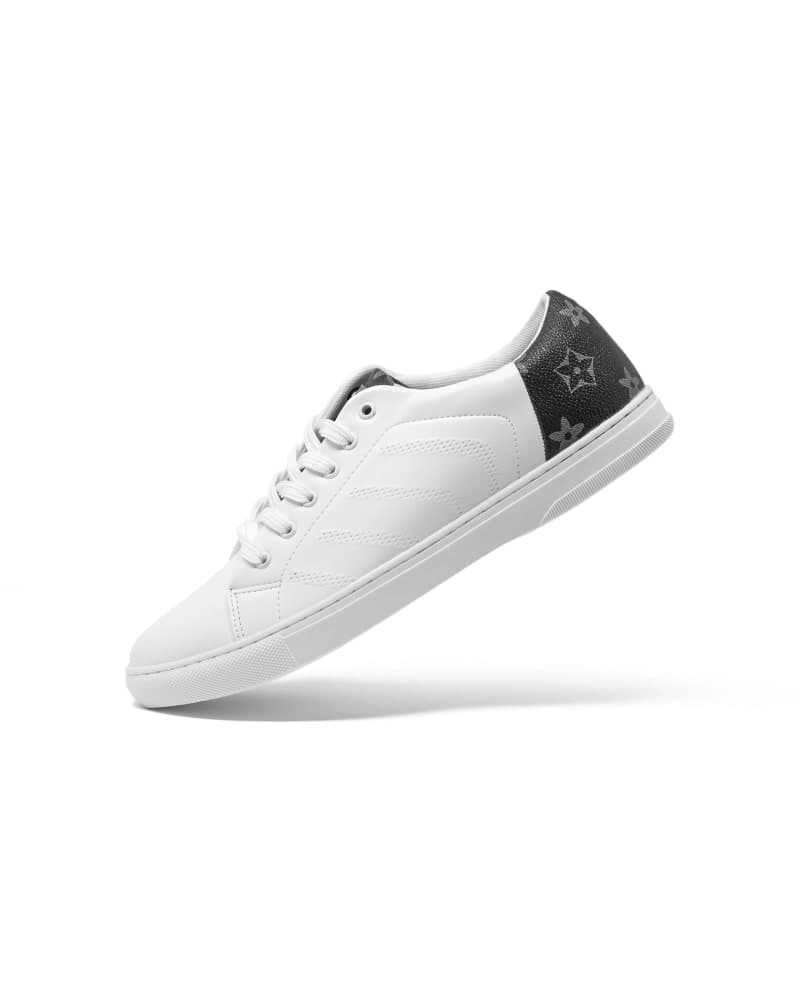
Your product as it was shot. It is made of parts, like a shoe's upper, laces and sole.
We outline each part
An editor draws a separate outline by hand around every part and names it.
Change one part
Because each part has its own outline, one can change color while the rest stays exactly as it was.
Every version from one photo
Make every color version you need from the one photo, each checked by a second editor.
Why studio multi-clipping paths save thousands in reshoot costs.
Shooting dozens of color variants on-set is expensive and time-consuming. See how manual multi-clipping paths compare to reshooting and automated selection tools.
| Feature | Reframe Multi-Path | On-Set Reshoots | Automated Magic Wand / AI |
|---|---|---|---|
| Production Cost | Low fixed per-image path cost ($1.20–$2.99) | High studio, model, and lighting overhead | Free app, but requires hours of manual cleanup |
| Path Structure | Named, saved, reusable vector paths in PSD | No digital selections or paths created | Raster pixel selections that cannot be edited as vectors |
| Edge Tolerance | 1.0–1.5px hand-drawn boundary per zone | N/A (physical photograph) | Fuzzy, jagged edges with severe color bleeding |
| Texture & Shadow Realism | 100% natural folds and studio lighting preserved | 100% natural | Flattens fabric texture and erases shadow depth |
| File Delivery | Layered PSD/TIFF ready for colorist pipelines | Raw un-isolated camera files | Flattened PNG without path metadata |
| Daily Capacity | 1,000+ complex files daily with 24h SLA | Limited by physical studio shooting hours | Instant but unusable for professional luxury catalogs |
Is multi-clipping path right for your images?
A good fit
- Apparel, footwear, fashion accessories, furniture, and electronics with multiple materials
- Catalog production where one master shot is recolored into multiple seasonal colorways
- Complex products requiring selective color correction, tone adjustments, or texture swaps
Not a fit
- Single subject cutouts on white: standard Clipping Path is faster and lower cost
- Fine hair, fur, or semi-transparent fabric: Alpha Masking is required for soft-edge detail
- Full photo recoloring without paths: send base images to Color Change
What you get back.
- Files
- Layered PSD or TIFF, each part on its own
- One outline per part
- Every part (sole, sleeve, collar, button...) has its own named outline
- Ready to recolor
- Change the color or tone of one part without touching the rest
- Same names every time
- Parts are named the same way across the whole batch
What we need from you.
Send these and work can start.
- Originals
- Any format (RAW, TIFF, PSD, JPEG, PNG). High-resolution files give cleaner paths for each separate zone.
- Part naming
- Specify how layers and paths should be labeled (e.g. 'Sleeve', 'Collar', 'Button', 'Sole').
- Delivery format
- Layered PSD or TIFF with organized, active named paths embedded.
Turnaround, batches and corrections for multi-clipping path.
1,000+ images a day on multi-clipping path. Pick 12h–72h at checkout.
Delivery windows
Batch size
Corrections
What clients say after the first batch.
Probably the best team I have worked with, and I use the platform very very often. Awesome pricing & highest possible result. Everything done to the smallest details. They really know how to use PS. Will definitely work with them in the long run.
 Nikola FilićFounder & Creative Director, Bomber Clothing
Trusted by
Pet accessoriesUSA

Bold streetwear
We work across

Separating parts on 500+ images? Book a call for custom pricing.
For big catalogs we agree your part names and layer order once, then apply them across every file.
12 questions
A multi-clipping path service is an advanced Photoshop technique where multiple closed vector paths are drawn around distinct parts of a single product. Rather than just cutting out the exterior silhouette, editors create individual paths for collars, sleeves, buttons, soles, or materials, enabling creative teams to isolate and recolor individual sections independently.
A standard clipping path outlines only the outer perimeter of a product to remove its background. A multi-clipping path draws numerous internal and external paths for different sub-components (e.g., leather upper, rubber sole, fabric tongue, metal eyelets), saving each as an individual named path inside the file.
Fashion brands shoot a garment once and use multi-clipping paths to generate entire seasonal colorway catalogs. By isolating fabric panels, trims, and logos with dedicated paths, colorists can alter colors in Photoshop while preserving realistic fabric folds, shadows, and textures.
Yes. Every path is saved inside the Photoshop Paths panel with descriptive names (e.g., 'Path 1: Collar', 'Path 2: Body', 'Path 3: Buttons') adhering to your agency's naming convention for immediate hand-off.
Multi-clipping paths are delivered in layered PSD (Photoshop Document) or TIFF files with embedded vector paths. These formats preserve all closed Bézier paths and work seamlessly across Adobe Photoshop, Illustrator, and InDesign.
Standard turnaround is 24 hours for batches up to 500 images. For enterprise catalog production, our studio processes 1,000+ multi-paths daily with 12-hour express delivery options.
A single clipping path gives you one outline around the whole product. A multi-clipping path draws a separate path for each part or color, so each can be edited on its own. It starts at $0.90 against $0.39 for a single path, so use it only when parts need different treatment, such as recoloring a sleeve or changing a label.
An organized PSD or TIFF with one path for each part, so your team can pick the part they want and edit it. Tell us how you want parts grouped (for example body, sleeves, collar, label) and we name the paths to match.
If you want us to do the recolor, order Color Change (from $0.30). It works from one clean image and does not need a multi-clipping path ordered first. Order Multi-Clipping Path when you or your designer will do the edits in-house and need clean, separate selections.
The number of parts and how detailed their edges are. Simple ($0.90): two or three clean parts. Medium ($1.67) and Advanced ($2.25): more parts, with curves and overlaps. Complex ($3.83) and Super complex ($5.18): many small parts or dense details, like a bike or a multicolor bag. Prices are per image at 24h Standard.
No. Those edges need masking, not a hard path. Order Background Removal for them. If the product has a soft-edged part, tell us in the brief so the right service is used for the right part.
1,000+ images a day. Multi-path work takes longer than a single path, so for a batch over 1,000 images we agree a staggered daily delivery plan before we start.
No matching questions
Try a shorter keyword, or choose another category.