AI vs. Human Clipping Path Quality Audit: The Microscopic 300% Zoom Comparison
A microscopic 300% zoom audit comparing automated AI background removal against hand-drawn vector clipping paths across shoes, jewelry, knitwear, and glass.
TechniquesPublished Sep 4, 20268 min readBy the Reframe Visuals editors
Key takeaways
- AI background removal fails on low-contrast edges, jewelry prongs, transparent glass, and textured fabrics under 300% zoom.
- Hand-drawn vector clipping paths maintain 0.5px sub-pixel precision with zero stepping, haloing, or clipped product details.
- The 'Double-Payment Paradox': brands using cheap AI tools often spend 10+ hours on internal fixes before re-paying human retouchers.
- Vector paths embedded as 'Path 1' in PSDs provide permanent, lossless editability that raster AI masks cannot match.
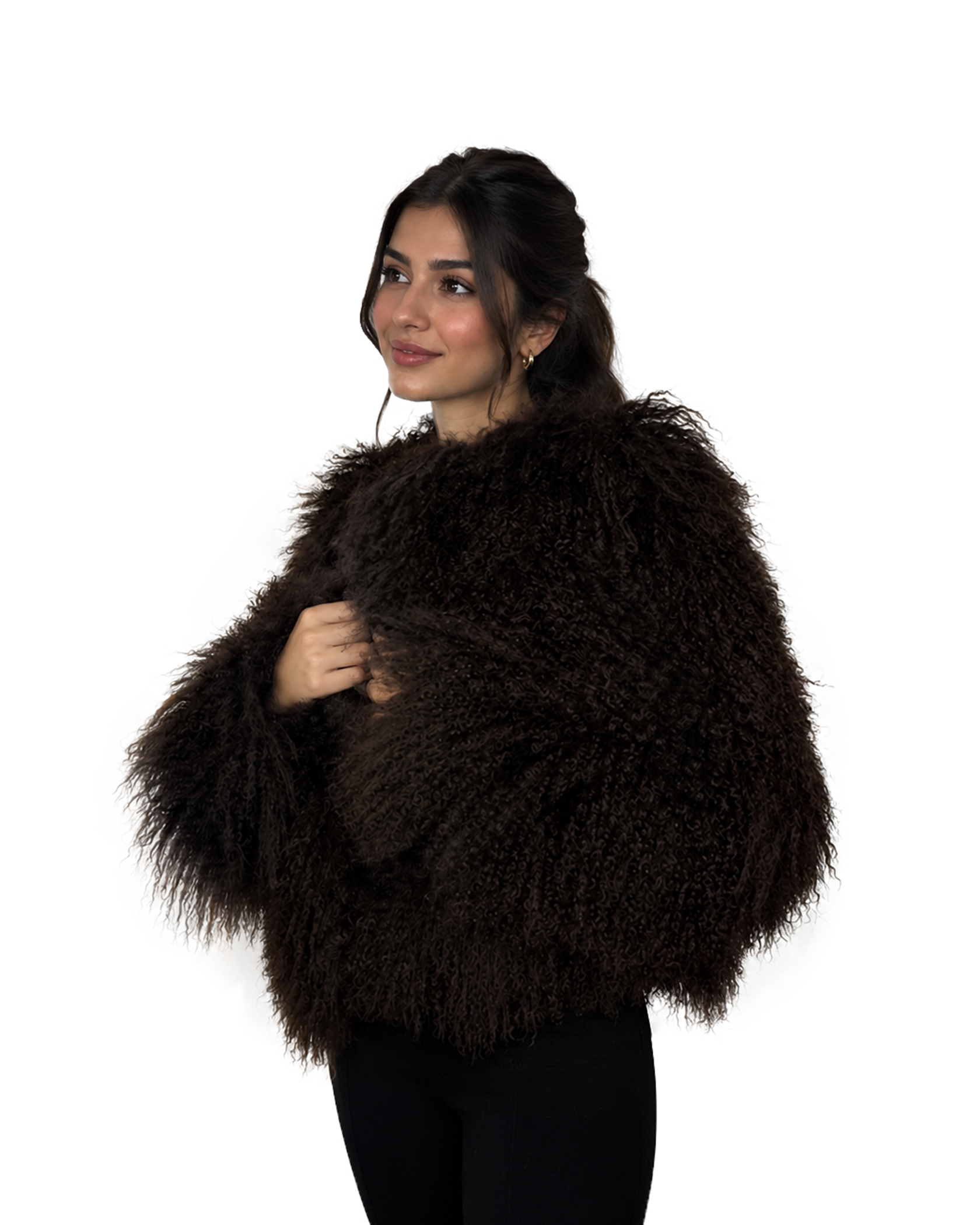
Automated artificial intelligence background removal tools have improved dramatically. For simple social media graphics or low-resolution thumbnail previews, single-click AI plugins offer undeniable speed.
However, in commercial eCommerce photography, high-end retail, and luxury catalogs, automated cutouts frequently fail. When an automated tool encounters subtle edge transitions, transparent materials, flyaway hair, or low-contrast borders, its segmentation models produce fuzzy stepping, artificial haloing, and clipped product details.
To examine the performance gap objectively, we conducted a Microscopic 300% Zoom Audit comparing automated AI background removal tools against professional hand-drawn Photoshop Pen Tool clipping paths across four challenging product categories.
The 4-Category Microscopic Audit
┌────────────────────────────────────────────────────────────────────────┐
│ The 4 Audit Stress-Test Subjects:                                      │
│ Subject A: White Sneaker on Light Grey Seamless (Low Edge Contrast)    │
│ Subject B: Diamond Ring with Micro-Prongs (Microscopic Metal Detail)   │
│ Subject C: Wool Knit Sweater (Fine Fibers & Semi-Porous Edges)        │
│ Subject D: Perfume Bottle (Transparent Glass Refraction & Speculars)   │
└────────────────────────────────────────────────────────────────────────┘
Subject A: White Sneaker on Light Grey Background
- The Problem: Near-zero tonal contrast between the white leather shoe collar and the white seamless studio backdrop.
- AI Cutout Result: The algorithm hallucinated the edge, shaving off 3 to 5 pixels of the top leather rim. In low-contrast shadow areas near the sole, it left an unsightly grey fringing halo.
- Hand-Drawn Pen Tool Result: A human retoucher traced the physical seam line with sub-pixel precision, delivering a razor-sharp 0.5px inset vector curve with zero background bleed.
Does automated AI background removal hold up under enterprise 300% zoom?
Inspect the difference: 100% hand-drawn Pen Tool clipping paths and alpha channel image masking crafted by senior editors. Inspect our sub-pixel edge quality with 3 free sample cutouts.
Clipping Path on your own images
Hand-drawn vector paths.
Subject B: High-End Diamond Ring
- The Problem: Platinum prongs measure less than 20 pixels wide, with complex specular reflections that mirror surrounding studio lights.
- AI Cutout Result: The AI misidentified the metal prongs as background reflections, clipping off two prongs entirely and making the diamond look as though it were floating disconnected from the band.
- Hand-Drawn Pen Tool Result: Every prong, bezel edge, and gemstone facet was isolated as an individual sub-path, preserving the structural integrity of the jewelry piece.
Subject C: Wool Knit Sweater
- The Problem: Fuzzy fabric texture with hundreds of delicate protruding wool fibers along the shoulder contour.
- AI Cutout Result: The model applied a crude 4px Gaussian blur, creating a muddy, plasticized outline that made premium wool look like cheap synthetic plastic.
- Hand-Drawn Path + Masking Result: A dual approach combined vector pathing for the solid shoulder seam with advanced alpha channel frequency masking for natural, tactile edge fibers.
Subject D: Perfume Bottle with Liquid Transparency
- The Problem: Transparent glass where background colors refract through the bottle interior.
- AI Cutout Result: The AI completely stripped the liquid transparency, leaving an unnatural solid white block inside the bottle that hid the perfume's amber hue.
- Hand-Drawn Path + Masking Result: Hand-drawn vector paths isolated the glass boundaries while preserving internal luminosity and refraction on a separate 50% opacity layer.
Comparison Summary Table
| Metric | Automated AI Cutouts | Hand-Drawn Pen Tool Vector Paths |
|---|---|---|
| Edge Precision | 2–5 px variance (stepping & fuzziness) | 0.5 px constant tolerance |
| Low-Contrast Detection | Poor (hallucinates or clips edges) | Flawless (human visual intelligence) |
| Complex Negative Holes | Frequently missed (e.g. shoe eyelets) | 100% isolated with internal sub-paths |
| File Deliverable | Flattened raster PNG or JPG | Reusable vector 'Path 1' in layered PSD/TIFF |
| Rework / Revision Rate | 35% – 60% rejected in catalog QA | Under 1% revision rate |
The True Cost of "Free" AI Cutouts
When creative directors deploy cheap automated cutouts across catalog production, they often encounter the Double-Payment Paradox:
- You pay for software subscriptions or automated API credits.
- Your internal art directors waste 10+ hours per week inspecting zoom quality and manually fixing jagged edges.
- The rejected assets are ultimately sent to an external retouching studio to be hand-path from scratch.
About this guide
Written by the Reframe Visuals editors. Last reviewed September 4, 2026. See how we check our work.
Questions answered
3 questions
AI cutouts work well for temporary social media stories, internal pitch decks, mockups, and high-contrast simple products (such as a black smartphone on a white background) viewed strictly at low resolution on small mobile feeds.
A vector clipping path is a mathematical Bezier curve created with Photoshop's Pen Tool. Because it consists of anchor points and vector handles rather than raster pixels, it can be scaled infinitely without pixelation and allows instant, lossless selection adjustments.
We believe visual trust is the single greatest driver of eCommerce conversion. When customers zoom into your products at 300%, jagged edges destroy brand credibility. Our retouchers hand-draw every anchor point to ensure flawless presentation under high magnification. For products made of several separate parts that each need their own edit, see multi-clipping path.
No matching questions
Try a shorter keyword, or choose another category.