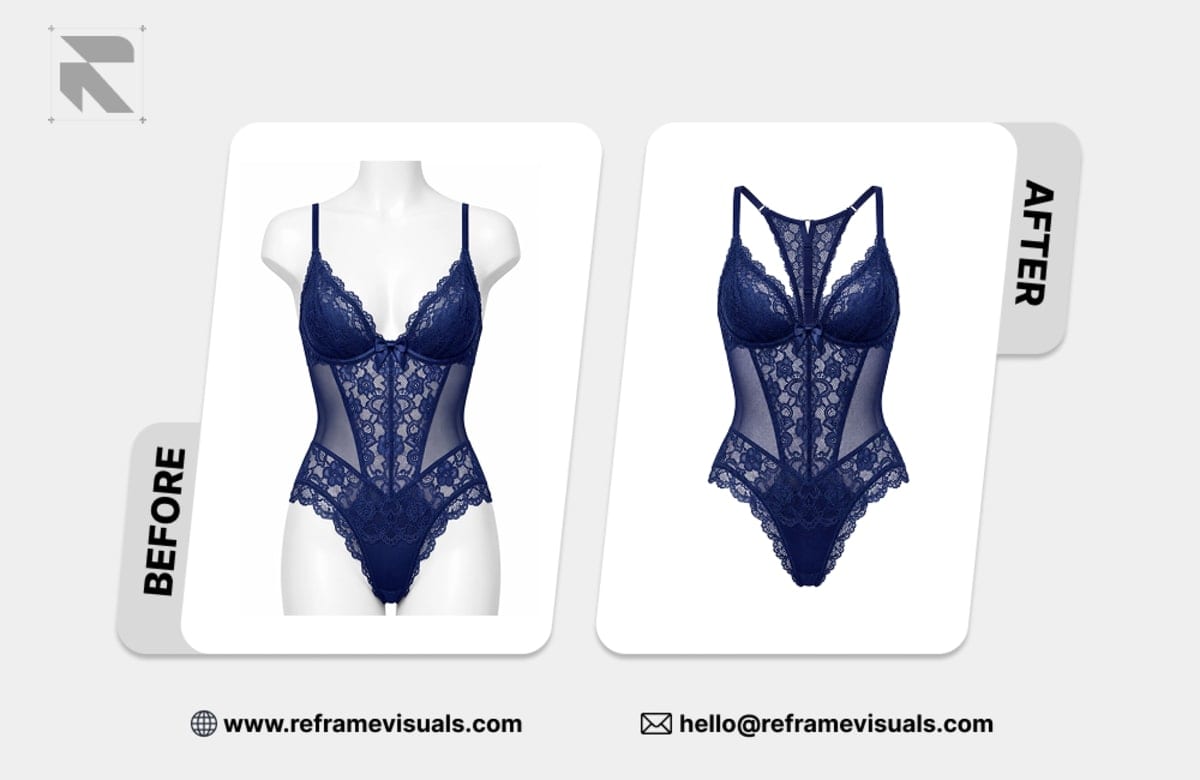
How Much Does Background Removal Cost Per Image in 2026?
Background removal costs $0.39 to $2.50 per image with human editors and a second-editor check, and a few cents with automated tools. Here is what each tier gets you, with a 1,000-image catalog priced line by line.
ServicesPublished October 22, 2026Updated October 30, 20267 min readBy the Reframe Visuals editors
Most background removal costs between $0.39 and $2.50 per image when a person does the work and a second person checks it. Automated tools cost a few cents. Offshore bulk studios sit in between. The gap between those numbers is real, but so is the gap in what you get back, and the cheapest line on a quote is rarely the cheapest line on your invoice once you count fixes.
This guide gives you the numbers, shows how the tiers work with a worked example, and tells you when each option is the right call for a US store selling on Amazon, Walmart, Shopify or Etsy.
The short answer, by provider type
| Provider type | Typical price per image | What you get |
|---|---|---|
| Automated tools (apps, APIs) | A few cents to about $0.20 | Instant cut-outs. Good on hard edges, unreliable on hair, glass and fabric |
| Offshore bulk studios | About $0.25 to $0.75 for simple work | Human edited, quality varies by studio and by batch |
| Managed studio with QA (our model) | $0.39 to $2.50 | Hand-traced edges, two editors check every file, free revisions for 14 days |
| Marketplace freelancers | $2 per 10 images to several dollars each | Depends entirely on the seller you land on |
These are rates published by vendors that we checked in October 2026. They change, and every vendor prices "simple" differently, so treat them as a range to plan with, not a quote.
Ready to test background removal pricing on your own catalog?
See the edge quality and turnaround before committing to volume pricing. Send 3 product photos for free sample editing with zero credit card required.
What our tiers cost
At Reframe Visuals, background removal is priced per image by how hard the edge is, at 24h Standard turnaround:
| Tier | Price per image | What usually lands here |
|---|---|---|
| Simple | $0.39 | Hard edges on a clean background: boxes, bottles, electronics, shoes |
| Medium | $0.78 | Soft edges, bags with straps, folded fabric, anything with a light fringe |
| Advanced | $1.25 | Hair, fur, glass, lace, semi-transparent fabric |
| Complex | $2.50 | Fine detail across the whole frame: wigs, mesh, chains on glass, busy compositions |
You do not have to guess the tier. We confirm it from your sample edits before you place the order, and the price you approve is the price you pay.
Three things that move the price
1. Edge complexity
Edge work is where the time goes. A bottle on a white sweep takes a fraction of the time that a knit sweater with loose fibres does, even though both are "background removal". If a service quotes one flat price for everything, either the simple images are subsidising the hard ones or the hard ones are getting less attention than they need.
2. Turnaround
We offer four windows, chosen at checkout: 12h Express, 24h Standard, 48h Relaxed and 72h Economy. Prices on this page are at 24h Standard. Express costs more because it jumps the queue. Economy costs less because it lets us schedule your batch around urgent work. If your launch date is three weeks out, 72h on a big batch is the easy saving.
3. What happens after the cut
A cut-out on its own is rarely the finished file. Marketplace main images usually also need a clean white background at exact RGB 255, a soft ground shadow so the product does not float, and sometimes a consistent crop. Ordering these together is cheaper than stacking three separate jobs. Our Marketplace Ready bundle, background removal plus shadow creation, is $0.49 per image.
A real catalog, priced
Say you are launching 1,000 SKUs and the catalog is a typical mix:
| Tier | Images | Price | Subtotal |
|---|---|---|---|
| Simple | 600 | $0.39 | $234.00 |
| Medium | 250 | $0.78 | $195.00 |
| Advanced | 100 | $1.25 | $125.00 |
| Complex | 50 | $2.50 | $125.00 |
| Total | 1,000 | $679.00 |
That is $0.68 per image on average, and the cheap 60% of the catalog pays for itself. A smaller store with 200 images (150 simple, 40 medium, 10 advanced) lands at $102.20.
The point of pricing by tier is that you can see where your money goes. If one product line is eating the budget, you can decide whether it deserves the work.
When an automated tool is the right call
Automated removal is a good fit when:
- Every image is a hard-edged product shot against a plain background
- The images are for internal catalogs, social posts or anywhere a slightly soft edge goes unnoticed
- You have someone who will check every result at 100% zoom before it goes live
Where it breaks is predictable: hair, fur, lace, glass, jewelry prongs and anything semi-transparent. The tool cannot decide what is product and what is background, so it guesses, and the guess shows up as a halo or a bitten edge. We wrote about why in AI vs. human editing.
When human editors pay for themselves
Choose people when:
- Edge quality is visible at listing zoom, which includes jewelry, apparel, watches and anything shoppers inspect closely
- You list on a marketplace that suppresses images with off-white backgrounds or visible fringe
- You need the same result across 500 images, not just the easy 400
- You want revisions to be someone else's problem
Do the sum with your own numbers. If one image in five needs a manual fix and each fix takes three minutes, 1,000 images cost you 200 fixes, which is ten hours. At $30 an hour that is $300 of your time on top of the tool fee. Change the inputs to match your store. For many catalogs the cheap option stops being cheap at around the point where someone on your team starts doing it by hand.
If you are weighing the two directly, the comparison of AI editing and professional editing lays out the trade-offs side by side.
Not sure which tier your products are?
Send three images from your catalog, ideally one easy and one hard. We edit them free so you can see the tier, the edge quality and the turnaround before you spend anything. If you already know your volume, request a quote and we will price the batch.
What to ask any provider before you order
- Do they offer samples? Judge them on your hardest product, not their portfolio.
- Who checks the work? Every image we deliver is reviewed by a second editor. Ask whether yours is.
- What do revisions cost, and for how long? Ours are free and unlimited for 14 days after delivery.
- What do you get back? A transparent PNG, a white-background JPG and a layered file with the path are three different deliverables.
- How are files handled? We delete your files 90 days after delivery.
Get an exact price for your images.
Tell us your volume and the edits you need. We reply with a price, and you can send sample images to make it exact.
Questions answered
7 questions
From $0.39 for simple hard-edged products up to $2.50 for complex images with fine detail, at 24h Standard turnaround. Automated tools are cheaper per image but need checking. See the tier table above for what falls where.
An automated tool is the cheapest per image for simple products. For a mixed catalog, a managed service is often cheaper in total once you count the time spent fixing hair, glass and fabric by hand.
A typical mixed catalog of 1,000 images costs about $679 at our rates (600 simple, 250 medium, 100 advanced, 50 complex). An all-simple catalog costs $390. Your quote depends on your own mix.
Not by default. Shadow creation is a separate service from $0.35 per image, or you can order the Marketplace Ready bundle (background removal plus shadow) at $0.49 per image.
Yes. We edit three sample images for business product photography, such as ecommerce and fashion brand catalogs, before you pay for anything.
Transparent PNG, white-background JPG, or both. If you want the clipping path inside a PSD or TIFF so your own designers can edit it, say so in the brief.
Between 12 and 72 hours, depending on the window you pick at checkout. 24h Standard is the default most stores choose.
No matching questions
Try a shorter keyword, or choose another category.